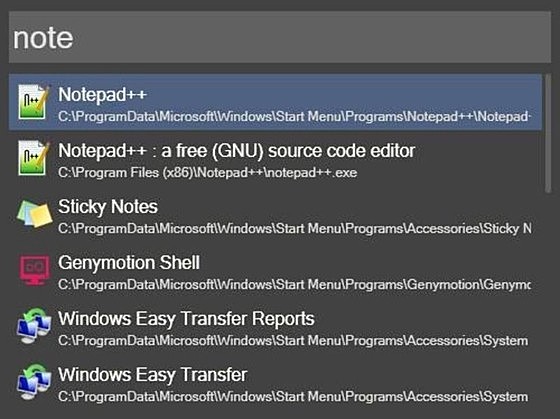
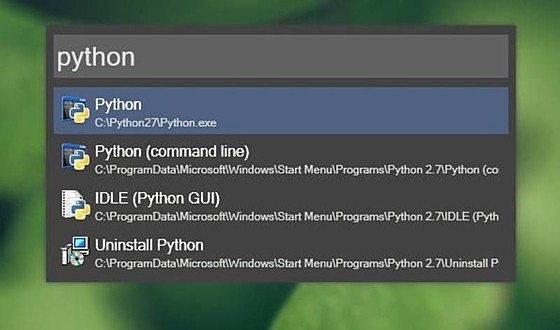
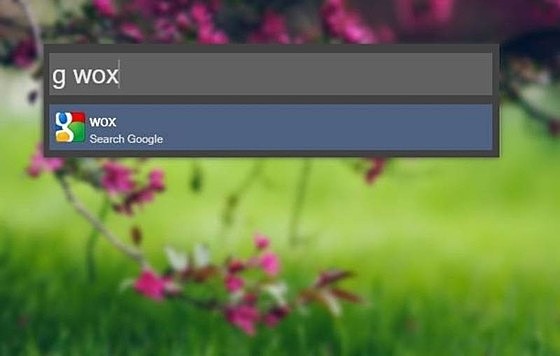
Wox
詳細情報
| タイトル | Wox |
|---|---|
| URL | https://github.com/Wox-launcher/Wox |
| バージョン | ver 2.0.0 |
| 更新日 | 2026/02/09 |
| 追加日 | 2016/02/07 |
| 種別 | フリーソフト / オープンソース(MIT) |
| 説明 | 超高速起動が売りのコマンドラインランチャ。 |
レビュー
スクリーンショット
更新グラフ
バージョン履歴
It's time to release the official 2.0 version! There are no major issues in everyday use anymore. Thank you to all users who tested the beta version and provided feedback!
-
Add
- [
Calculator] Add comma separator support in Calculator plugin #4325 - [
File Explorer Search] Add type-to-search feature (experimental, default is off, user can enable this in plugin setting). When enabled, user can type to filter in finder/explorer windows.
- [
-
Improve
- [
File] Improve everything sdk integration stability (with 1.5a support) #4317
- [
-
Fix
- [
File Explorer Search] Fix a issue that file explorer search plugin's settings do not load #4326
- [
-
Add
-
EmojiAdd ai search support for Emoji plugin (you need to enable AI feature in settings first)
- Add auto theme which changes theme based on system light/dark mode
-
ExplorerAdd Explorer plugin to quick switch paths in Open/Save dialog #3259, see Explorer plugin guide for more details - Add loading animation to query box during plugin metadata fetching to improve user experience
-
-
Improve
- Improve markdown preview rendering performance and stability
- Critical deletion actions have been implemented to recycle bin, this will prevent accidental data loss #3958
- Improve docs website https://wox-launcher.github.
This release will reset Wox theme to default to fix a regression issue released on Wox v2.0.0-beta.6
-
Add
- Add MCP Server for Wox plugin development (default enabled on port 29867, can be configured in settings)
- Add thousands separator for numbers in Calculator plugin
#4299 - Add windows setting searches
- Add usage page in settings
-
Improve
- Improve fuzzy match based on fzf algorithm
- Improve app searches on windows by
-
Fix
- Fix working directory issues, adding getWorkingDirectory function for command execution context, close
#4161 - Fix command line window display issue when executing Script Plugin
- [
AI Chat] Fix a render issue
- Fix working directory issues, adding getWorkingDirectory function for command execution context, close
Highlights
- Add
Emojiplugin
- Add
Launch ModeandStart Pagesetting
What's Changed
- fix(ui): method 'ShuntingYardParser' isn't defined with new version Microsoft.VisualStudio.2022.BuildTools by @yougg in #4269
- fix(python_host): python plugin log rpc method param name correction by @lyh-ADT in #4288
- [Bot] Update plugin store manifests by @github-actions[bot] in #4294
- [Bot] Update plugin store manifests by @github-actions[bot] in #4295
New Contributors
- @lyh-ADT made their first contribution in #4288
Full Changelog
- Fix a regression issue that some settings can't be changed on beta.4 @yougg
-
Add
- Quick Select to choose results via digits
- MRU for query mode. User can now display MRU results when opening Wox by default
- Custom Python and Node.js path configuration (#4220)
- Edge bookmarks loading across platforms
- Calculator plugin: add power operator (^) support
- Quick Select to choose results via digits
-
Improve
- Migrate settings from JSON to a unified, type-safe SQLite store
- Reduce clipboard memory usage
- Windows UX: app display details, Unicode handling, and UWP icon retrieval
-
Fix
- Key conflict when holding Ctrl and repeatedly pressing other keys
- "Last display position" not restored after restart
- Windows app extension checks (case-insensitive,
- Fix issue where Windows sometimes cannot gain focus #4198
- [Chat plugin], support multiple tool calls executed simultaneously in a single request
- [Chat plugin], support custom agents
- Support ScriptPlugin
- Added Chat plugin, you can now chat with AI directly through this plugin, supporting MCP.
- The settings interface now follows the theme color.
- Added double modifiers hotkey as a shortcut, E.g. double-click ctrl key.
- [Windows only] Added support for everything (file plugin).
- [Windows only] Resolved the issue of focus not returning on Windows #4144 #4166
- [Windows only] Optimized transparent display effect on Windows.
Overview
We're excited to announce the beta release of Wox v2.0.0! This major update represents a complete rewrite of Wox as a cross-platform launcher, now supporting macOS, Windows, and Linux. Wox v2 is designed to be a powerful alternative to Alfred and Launchy, with a focus on simplicity, extensibility, and performance.
Key Features
Cross-Platform Support
- Now available on macOS, Windows, and Linux
- Consistent experience across all platforms
- Single executable file, no installation required
Enhanced UI/UX
- Modern and clean interface
- New preview panel
- AI-ready commands
Plugin System
- Support for JavaScript and Python plugins
- Improved plugin managemen
This is Wox v2 nightly release, it's not feature complete and may has bugs. If you use windows, you should use v1.x.x instead.
System Requirement
- Macos requires 10.15 Catalina or above
- Windows requires windows 10 or above
This is Wox v2 alpha release, it's not feature complete and may has bugs. If you use windows, you should use v1.x.x instead.
Currently, we only provide macos version, windows and linux version will be provided soon, stay tuned!