 Windows Terminal Preview
詳細情報
| タイトル | Windows Terminal Preview |
|---|---|
| URL | https://github.com/microsoft/terminal |
| バージョン | ver 1.26.2734.0 |
| 更新日 | 2026/10/03 |
| 追加日 | 2024/02/01 |
| 種別 | フリーソフト |
| 説明 | Microsoftが開発するWindows Terminalのプレビュー版。 |
レビュー
Windows Terminal PreviewはWindows Terminalのプレビュー版。
安定版よりいち早く新機能が追加される。
スクリーンショット
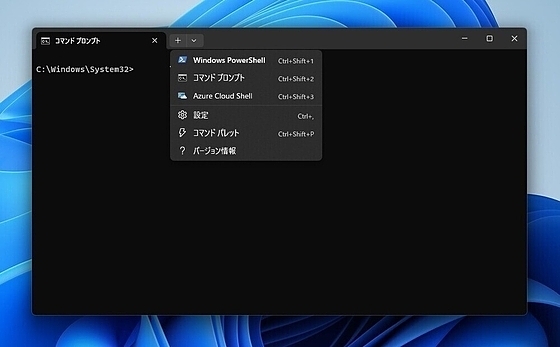
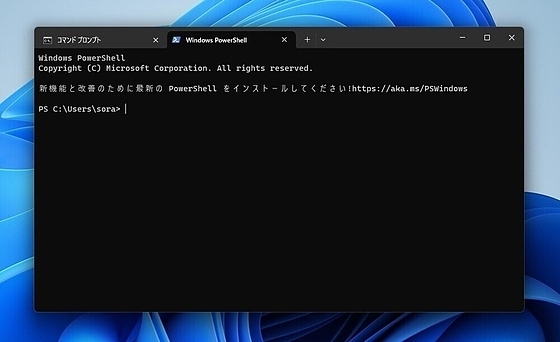
更新グラフ
バージョン履歴
This is the fourth servicing release for Terminal! We've fixed a couple of our more annoying issues, and added a new feature thanks to @ltrzesniewski for configuring the new URL warning dialog.
These release notes include changes from v1.25.1241.0 so that you don't need to go read those separately.
Changes
- You can now change the behavior of the URL warning dialog with the new
safeUriSchemessetting (JSONsafeUriSchemes, array of strings, default[]) (#20207) (thanks @ltrzesniewski!) - We have disabled store licensing checks on startup, which should improve launch performance and reliability and
This may be the first time we've released a servicing update for Preview without an associated update to Stable!
Well, at any rate, some of these fixes are destined for stable... eventually.
Bug Fixes
- IME composition will no longer blindly overwrite text to the right of the cursor, but "intelligently" push it further to the right to ensure that it stays visible (#20041) (thanks @drvoss!)
- Terminal will now display a warning dialog if you attempt to open a URL that might harm your computer (as voted by a bunch of security researchers) (#20065) (#20096)
- We have temporarily removed support for
OSC 7, as it was
Ah, a Friday servicing release. That's never backfired before.
Changes
- The "invalid media resource, go get rekt" warning has been toned down (and for now, has been removed entirely in the Stable channel) (#19969)
- We now support the use of
OSC 7in some circumstances to report the current working directory (#20019) - Terminal will once again emit an empty bracketed paste sequence (
\e[200~\e[201~) when you attempt to paste an image (e.g. into an agentic coding CLI) (#20037) - Terminal will now assert focus when you drag and drop a file on it (#20003) (thanks @etbala!)
- We've
Windows Terminal 1.25 is here, with a bunch of new features in tow!
It sports a new search experience inside the Settings page, the ability to edit actions, command palette entries and key bindings with a rich editor--rather than just their key bindings--support for Kitty's keyboard protocol and two completely new community translations!
Note
This release has been somewhat slow to roll out via the Store (and we are tracking down the issue with the folks who own the Store), but it is generally available today (March 5th, 2026) both here and via WinGet.
Features
- You can now edit actions, key bindings, and command palette entries in full in the newly-rewritten A
In advance of the coming 1.25 release, enjoy this modest servicing update.
As usual, the preview channel will move to stable when 1.25 is released.
Changes
- The extraneous
TerminalAzBridgeexecutable has been removed from the Terminal package (#19528)
Bug Fixes
- The caption buttons will (finally!) dim when the window is out of focus (#19668) (thanks @Aliremu!)
- Compatibility with some popular Chinese and Japanese IMEs has been restored (#19738)
- Many of our cross-thread UI operations have been hardened against use-after-free (#19752)
- Terminal s
It's the most Terminal time of the year! Here's a servicing update to fix a couple pretty annoying bugs before we all disappear for the holidays.
Bug Fixes
- When Terminal encounters a GPU or driver issue, it will attempt to fall back to software rendering before giving up and asking you to intervene (#19636)
-
DECRQCRAwas erroneously disabled for everyone even if you turned it on; no longer! (#19606) - Terminal can once again target the correct virtual desktop when creating a new window (#19458)
- Certain scroll wheels will no longer only scroll up (#19573) (thanks @penguin-sophist!)<
Another servicing update!
Bug Fixes
- Terminal will no longer crash if you simultaneously close two windows at the same time (#19395)
- Applications that try to update the taskbar progress but revert it within a couple hundred milliseconds will no longer be allowed to make the window go crazy (#19403)
- We will no longer rewrite your settings file on disk for what appears to be no reason when you have nested or iterable commands (#19408)
- Terminal Unpackaged and Portable will now use a more durable and specific identifier to deduplicate multiple app instances (#19415)
Binary files inside the unpack
Servicing releases for everybody who likes the Preview channel, too!
Changes
- The Dimidium color scheme has received its final touches (#19303) (thanks @dofuuz!)
Bug Fixes
-
wt spno longer spawns a new tab before it splits it (#19347) - In our recent media loading change, we forgot about
bellSound! No longer! Fragments can contain bell sounds (and they can be relative paths) now (#19289) - Launching and closing terminal windows, especially via the "default console host" process, should no longer leave you with inoperable window controls (oops) (#19298
Like a famously-hibernating animal coming out of a long sleep, Terminal Preview is back to eat a bunch of berries visit your machine with all of its new peculiarities.
We took a whole quarter off to focus on 1.23's stability, so this release might seem lighter than usual. That's only because we backported hundreds of changes to the now-stable 1.23!
We've changed how icons work, and now we let fragment authors include pixel shaders and stuff. It's a pretty cool release, so buckle up:
Features
- Command Palette will now be displayed (and searchable!) in both your native language and English (assuming your native UI language is not already English) (#19166
 RSS[全体]
 Tw[@softantenna]