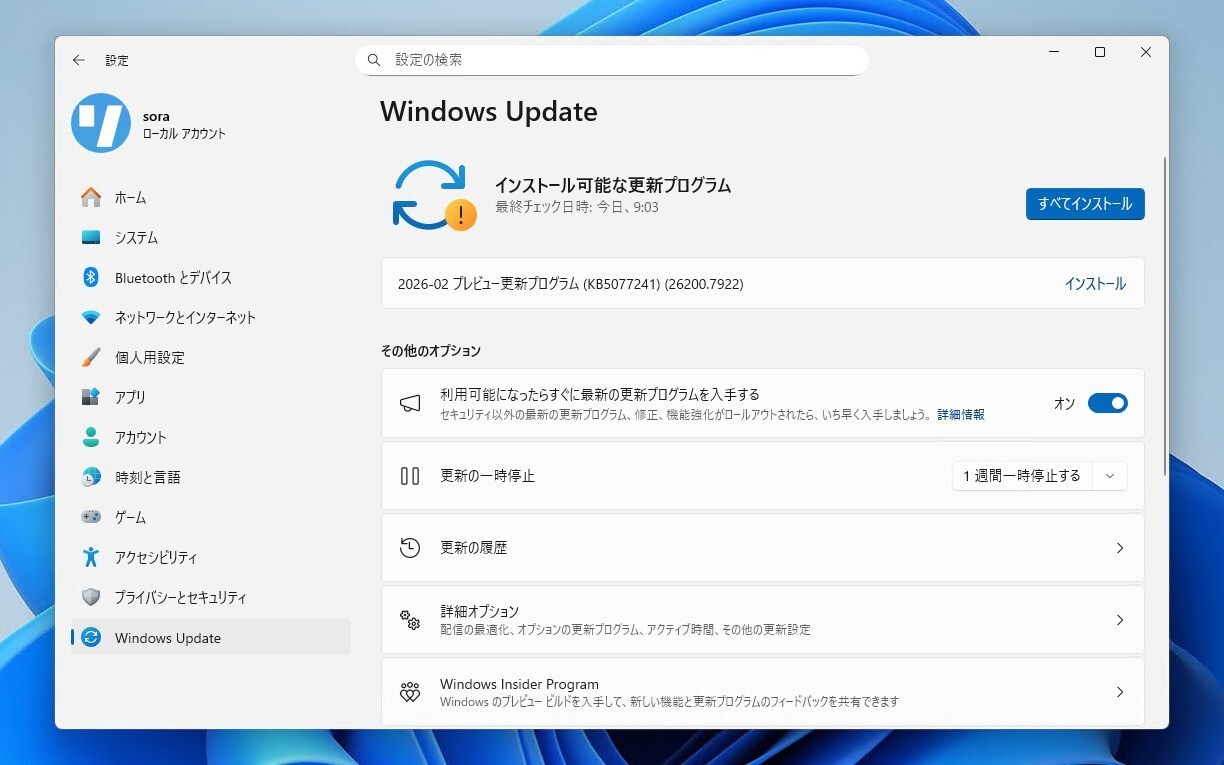
Microsoftは2月27日(現地時間)、Windows 11のWindows Insider ProgramのDevチャンネル向けの最新ビルド「Windows 11 Insider Preview Build 26300.7939」をリリースしました(Windows Blog)。
Devチャンネルで公開されるビルドは、将来の機能アップデートで追加される可能性のある、さまざまな新機能が先行して実装されています。特定のリリースとは直接結びつけられておらず、ビルドに含まれる新機能や改善点は、準備が整い次第、将来のWindowsリリースに反映される可能性があります。
Windows Insider Programの更新オプションでDevチャンネルを選択し、Windows 11のプレビュー版を使用しているユーザーは、Windows Updateを利用して最新版に更新することができます。
Build 26300.7939の新機能
Build 26300.7939では、バッチファイルのセキュリティ強化が行われています。LockBatchFilesWhenInUseを有効化することで、実行中にバッチファイルが変更されないようにし、コード整合性チェックの効率と安全性を向上するというものです。
共有オーディオの強化や、ナレーターの機能拡張、タスクバーの改善なども行われています。
リリースノートは以下の通りです。
New features gradually being rolled out with toggle on*
[Enhanced security and performance for batch files]
We are giving administrators and Application Control for Business policy authors additional controls over the processing of batch files and CMD scripts. Starting with this release, administrators may enable a more secure mode for processing batch files that ensures they do not change during execution by adding a value to the registry key HKEY_LOCAL_MACHINE\Software\Microsoft\Command Processor named LockBatchFilesWhenInUse (DWORD, value 0 or 1). Policy authors may also use the LockBatchFilesWhenInUse application manifest control documented here to enable this mode.
This enhances the performance and security of batch file processing when code integrity is enabled, as signature validation will only required to be performed a single time, instead of per statement executed in the batch file.
Feedback: Share your thoughts in Feedback Hub (WIN + F) under Developer Platform > Command Line.
Changes and Improvements gradually being rolled out with toggle on*
[Shared audio (preview) gets more control]
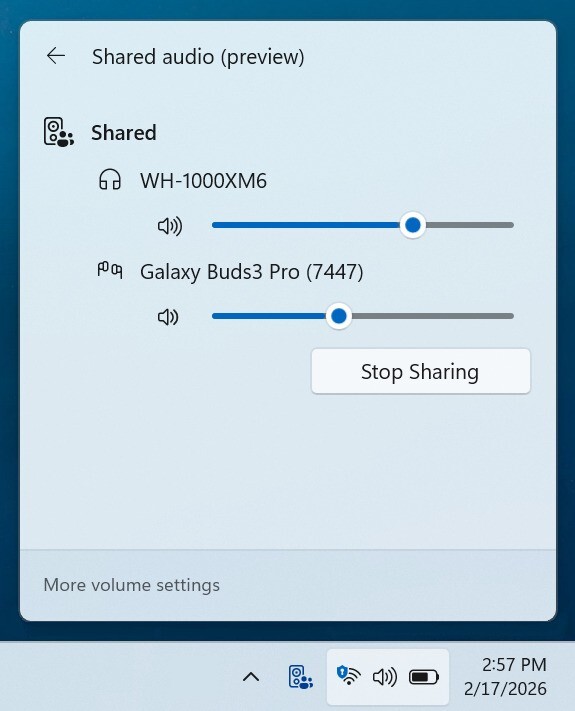
- Shared audio (preview) was first announced last fall, and allows 2 people to share audio between their two capable Bluetooth LE Audio headphones, speakers, earbuds, or hearing aids. With this update Windows now provides individual sliders for each listener which adjusts their volume without affecting the other. You can continue to adjust volume for both listeners at the same time through the main volume controls available through Quick Settings or on-device and keyboard controls.
- You’ll also see a new taskbar indicator while you’re sharing, giving a quick reminder that audio is still being shared. Clicking the indicator is a fast path to open sharing settings to change volume or stop sharing.
- The LE Audio accessory ecosystem also continues to grow. In addition to the accessories announced before, we’re excited to share that the Samsung Galaxy Buds 4 and Buds 4 Pro, Sony WF‑1000XM6, and Xbox Wireless Headset all have support for shared audio!
- Feedback: Share your thoughts in Feedback Hub (WIN + F)under Devices and Drivers > Bluetooth – Audio quality, glitches, choppiness and stuttering.
[Narrator]
- Narrator users can now use a new command Narrator key + \ to read contents of status bar in Apps such as Microsoft Word, Excel, PowerPoint, etc. For example, in Microsoft Word, users can use this to read count of pages or words in a document. In Microsoft Excel, users can select a few data cells and hear sum or average of the data in the selected cells without having to change your focus.
[Taskbar]
- We temporarily paused the rollout of the improved animations when your taskbar is set to autohide, and improved reliability of loading taskbar components in safe mode. Thanks, Insiders, for sharing feedback!
[Storage]
- Improved reliability of removing Windows Update files / windows.old files via Settings > System > Storage.
[Input]
- Improved reliability of typing when using the ADLaM keyboard.
公式ブログには細かな変更内容がリストアップされていますので、インストールする前に確認することをおすすめします。