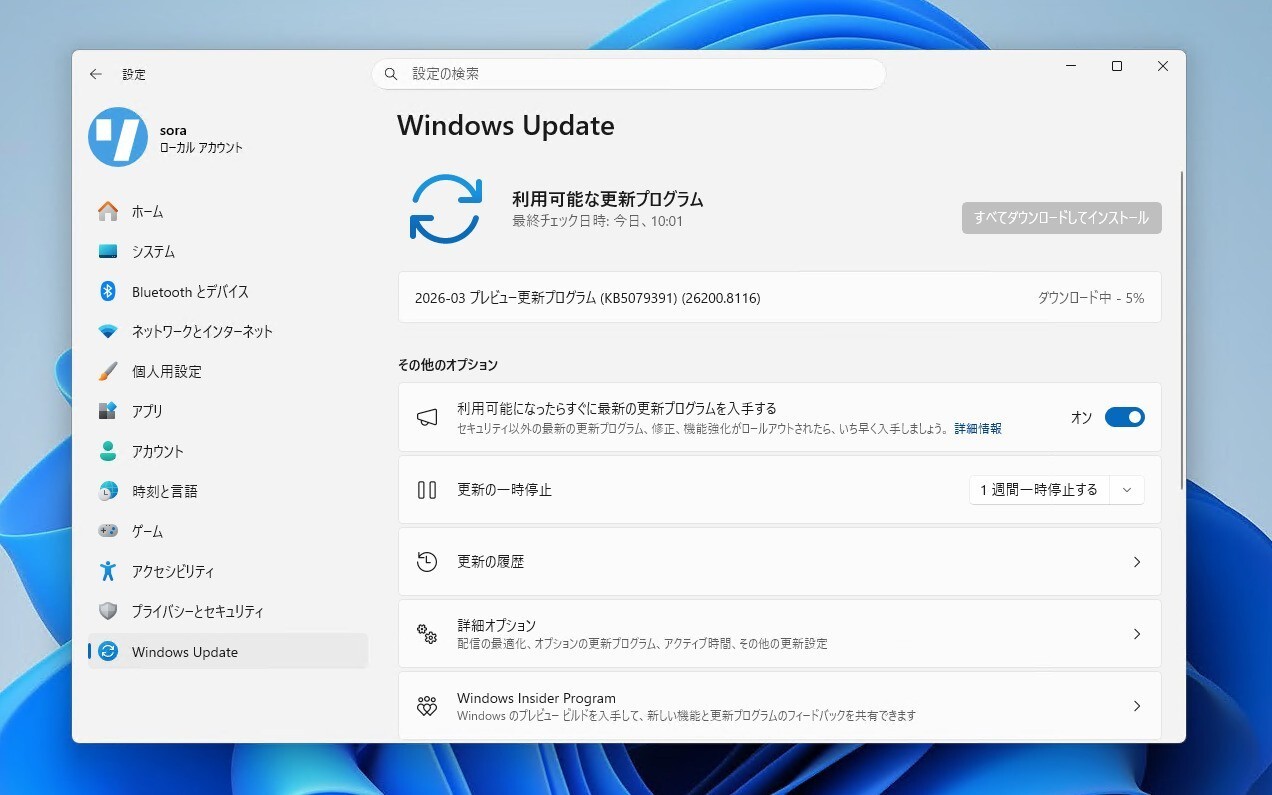
Microsoftは本日、Windows 11 Build 26100.8106と26200.8106(KB5079387)をリリースしました(Windows Blog)。
Windows Insider Programの更新オプションでRelease Previewチャンネルを選択し、Windows 11 Version 24H2/25H2を使用しているユーザーは、Windows Updateを利用して最新版に更新することができます。
最新版では、ディスプレイ関連の大幅な強化が行われています。1000Hzを超える超高リフレッシュレートに対応し、ゲーミングや特殊用途の超高速ディスプレイを正式にサポートしました。また、USB4接続モニター使用時に、スリープ中のUSBコントローラーの低電力化が可能になっています。HDRの信頼性向上や、モニターサイズの報告精度の向上も行われています。
その他ナレーターの強化や、Smart App Control(SAC)の改善(クリーンインストール不要でON/OFF切り替えが可能に)、設定アプリの改良も行われています。
リリースノートは以下の通りです。
- [Narrator] New!1 Narrator provides rich image descriptions on Copilot+ PCs and now works with Copilot on all Windows11 devices. Press Narrator key + Ctrl + D to describe the focused image or Narrator key + Ctrl + S to describe the full screen. Copilot opens with the image ready, allowing you to enter a prompt for a customized description. The image is shared only after you choose to describe it. On Copilot+ PCs, Narrator gives instant, on‑device descriptions, and you can select Ask Copilot for more detail.
- [Smart App Control] New! You can turn Smart App Control (SAC) on or off without needing a clean install. To make changes, go to Settings > Windows Security > App & Browser Control > Smart App Control settings. When turned on, SAC helps block untrusted or potentially harmful apps. To learn more, see App & Browser Control in the Windows Security App – Microsoft Support. This feature was previously disclosed in the January 2026 release notes (KB5074105) and is now beginning to roll out.
- [Settings]
- New! The Settings About page (Settings > System > About) has been improved to provide a more structured and intuitive experience, offering clearer device specifications and easier navigation to related device components, including quick access to Storage settings.
- New!2 The device information card on the Settings Home pagesimplifies key device specifications and improves consistency across the end-to-end flow from the Home Card to the Settings > System > About page, making information easier to scan and understand.
- Improved the performance of loading Home in Settings.
- Improved reliability of downloading necessary updates when prompted in Settings > System > Advanced.
- New! The Settings About page (Settings > System > About) has been improved to provide a more structured and intuitive experience, offering clearer device specifications and easier navigation to related device components, including quick access to Storage settings.
- New!2 The device information card on the Settings Home pagesimplifies key device specifications and improves consistency across the end-to-end flow from the Home Card to the Settings > System > About page, making information easier to scan and understand.
- Improved the performance of loading Home in Settings.
- Improved reliability of downloading necessary updates when prompted in Settings > System > Advanced.
- [Account Settings]
- New! Microsoft 365 Family subscribers can upgrade to a different Microsoft 365 plan from Settings > Accounts. To remove the upgrade option, turn off Suggested content in Settings.
- New! This update improves the design of the dialog boxes in Settings > Accounts > Other users to match the modern Windows look and support dark mode. The visibility of the dialog box option depends on whether the device has a domain joined work or school account.
- [Input] New! Windows introduces a cleaner, modern pen setting experience. You can now choose the new Same as Copilot key option, which enables the pen tail button to open the same app as the Copilot key.
- [File Explorer]
- Improved reliability of unblocking files downloaded from the internet in order to preview them in File Explorer.
- You can now use Voice Typing (Windows key plus H) when renaming a file in File Explorer.
- You can now sort the permissions entries in the Advanced Security Settings window for a folder in File Explorer by Principal.
- [Display]
- Monitors can now report refresh rates higher than 1000 Hz.
- While using a native USB4 monitor connection, the USB controller can now go to the lowest power level while the PC is sleeping, saving battery life.
- Improved reliability of auto rotation after resuming from sleep.
- Improved HDR reliability for displays with non-compliant DisplayID 2.0 blocks.
- Monitors with DisplayID now report a more accurate size when using the WMI monitor APIs.
- [Printing]
- Updated downlevel baseline support for printer connections to be Windows 10, version 1607 / Windows Server 2016 (Build 14393).
- New! Microsoft 365 Family subscribers can upgrade to a different Microsoft 365 plan from Settings > Accounts. To remove the upgrade option, turn off Suggested content in Settings.
- New! This update improves the design of the dialog boxes in Settings > Accounts > Other users to match the modern Windows look and support dark mode. The visibility of the dialog box option depends on whether the device has a domain joined work or school account.
- Improved reliability of unblocking files downloaded from the internet in order to preview them in File Explorer.
- You can now use Voice Typing (Windows key plus H) when renaming a file in File Explorer.
- You can now sort the permissions entries in the Advanced Security Settings window for a folder in File Explorer by Principal.
- Monitors can now report refresh rates higher than 1000 Hz.
- While using a native USB4 monitor connection, the USB controller can now go to the lowest power level while the PC is sleeping, saving battery life.
- Improved reliability of auto rotation after resuming from sleep.
- Improved HDR reliability for displays with non-compliant DisplayID 2.0 blocks.
- Monitors with DisplayID now report a more accurate size when using the WMI monitor APIs.
- Updated downlevel baseline support for printer connections to be Windows 10, version 1607 / Windows Server 2016 (Build 14393).
- [Windows Hello] Improved: Windows Hello Fingerprint reliability for certain devices.
- [Safe mode] Improved reliability of loading components of the taskbar in safe mode.
- [Voice Access] Improved how numbers are detected and written when using Voice Access in English.
- [Start menu] Improved reliability of applying Start menu layout via group policy when desktopAppLink is present in the JSON.
- [Remote Desktop] The Set-RDSessionCollectionConfiguration PowerShell command now recognizes DisableSeamlessLanguageBar.
- [Audio] Improved handling of short MIDI messages in cases where an application was initialized without providing long message buffers.
- [System File Checker] Removed extraneous error message you might unexpectedly see when running sfc /scannow.
- [Narrator] This update improves the Natural Voices experience in Narrator. It also makes Natural Voices setup more reliable.
- [Performance & Reliability] This update improves stability in Windows Recovery Environment (Windows RE) when you run x64 apps on ARM64 devices. These apps run more smoothly and respond as expected.
新ビルドの詳細は公式ブログで確認可能です。