 Windows Super God Mode
詳細情報
| タイトル | Windows Super God Mode |
|---|---|
| URL | https://github.com/ThioJoe/Windows-Super-God-Mode |
| バージョン | ver 1.2.3 |
| 更新日 | 2026/06/02 |
| 追加日 | 2024/08/26 |
| 種別 | フリーソフト / オープンソース(GPL) |
| 説明 | WindowsのGode Modeを超える便利なショートカットを作成。 |
レビュー
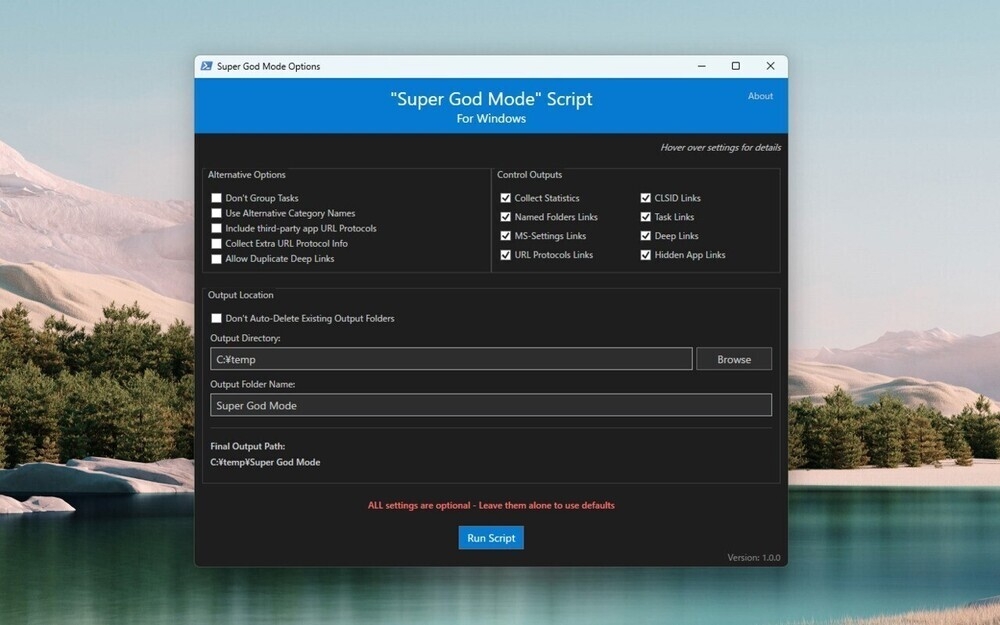
Windows Super God ModeはWindowsに搭載されている「ゴッドモード」を超える便利なショートカットを作成することができるサードパーティ製ツール。
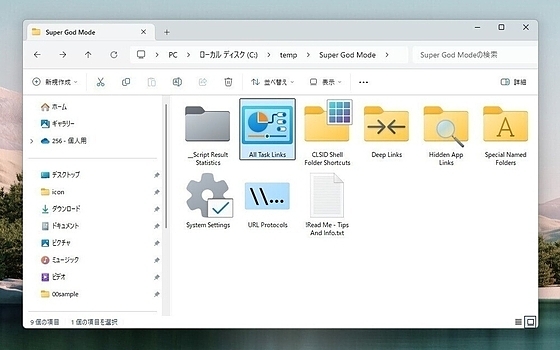
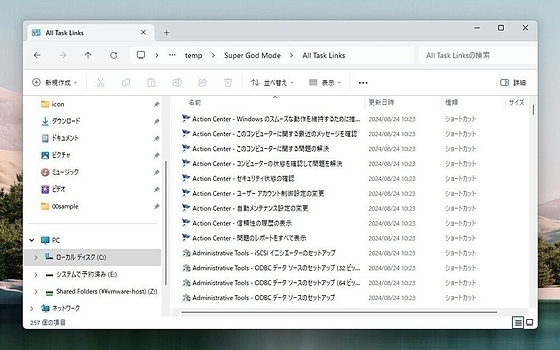
PowerShellで作られたスクリプトで、実行すると、指定したフォルだの下に、特別なシェルフォルダや、名前付きフォルダ、タスクリンク、システム設定、プロトコルなどの便利なショートカットリンクを出力することができる。
スクリーンショット
更新グラフ
バージョン履歴
1.2.3
🟢 1.2.2 → 1.2.3 Minor Update Notes:
- Fix: Better matching of
ms-settingslink names. Now correctly matches certain links that were cut off before, such as any with capital letters or numbers in them likea9,dateandtime-showClockInNotificationCenter, andpersonalization-background-promptUserToEnableDesktopSpotlight(#39) - Fix: Proper quote escaping for icon paths. Also fixes code highlighting in Notepad++ (#38)
- Added note to not close the Powershell Window after the GUI opens along with it
- Improve support for PowerShell ISE, if it's used
Existing Major Release Version Notes:
📈 [1.2] General Improvements
- Updated launcher batch file to warn user if the PowerShell script wasn't found.
1.2.2
📈 [1.2] General Improvements
- Updated launcher batch file to warn user if the PowerShell script wasn't found.
- Added dropdown box to GUI to select logging level: Standard, Verbose, Debug
- Improved error handling and messaging to more appropriately reflect severity of non-critical error/warning messages
🧐 [1.2] Improved hidden app links matching rules
-
Efficiency:
- Added more ignored file extensions such as known archive formats which are compressed and therefore not useful to search
- Added logic to be able to ignore certain known irrelevant directories for popular programs that can be identified and hard-coded over time.
- Such as Steam's steamapps/common folder which has a ton of game folders and not relevant to the search but has a huge number of hug
v1.2.1
📈 [1.2] General Improvements
- Updated launcher batch file to warn user if the PowerShell script wasn't found.
- Added dropdown box to GUI to select logging level: Standard, Verbose, Debug
- Improved error handling and messaging to more appropriately reflect severity of non-critical error/warning messages
🧐 [1.2] Improved hidden app links matching rules
-
Efficiency:
- Added more ignored file extensions such as known archive formats which are compressed and therefore not useful to search
- Added logic to be able to ignore certain known irrelevant directories for popular programs that can be identified and hard-coded over time.
- Such as Steam's steamapps/common folder which has a ton of game folders and not relevant to the search but has a huge number of hu
1.2.0
📈 [1.2] General Improvements
- Updated launcher batch file to warn user if the PowerShell script wasn't found.
- Added dropdown box to GUI to select logging level: Standard, Verbose, Debug
- Improved error handling and messaging to more appropriately reflect severity of non-critical error/warning messages
🧐 [1.2] Improved hidden app links matching rules
-
Efficiency:
- Added more ignored file extensions such as known archive formats which are compressed and therefore not useful to search
- Added logic to be able to ignore certain known irrelevant directories for popular programs that can be identified and hard-coded over time.
- Such as Steam's steamapps/common folder which has a ton of game folders and not relevant to the search but has a huge number of hug
1.1.0
📈 [1.1] Improvements
- Added more comprehensive search for hidden links for protocols of Non-Appx apps
- Fixed bug where some hidden links were being matched in files but weren't being added to the results
- Added new option "Deeper Scan for Hidden Links" which will scan all files of non-appx program folders, but is slow
- Replaced hard coded constant paths so the script should work on systems where
C:\is not the main drive
 RSS[全体]
 Tw[@softantenna]