Microsoftは8月17日(現地時間)、Windows 11のWindows Insider ProgramのExperimentalチャンネル向けの最新ビルド「Windows 11 Insider Preview Build 26340.9212」をリリースしました(リリースノート)。
Experimentalチャンネルで公開されるビルドは、将来の機能アップデートで追加される可能性のある、さまざまな新機能が先行して実装されています。特定のリリースとは直接結びつけられておらず、ビルドに含まれる新機能や改善点は、準備が整い次第、将来のWindowsリリースに反映される可能性があります。
Windows Insider Programの更新オプションでExperimentalチャンネルを選択し、Windows 11のプレビュー版を使用しているユーザーは、Windows Updateを利用して最新版に更新することができます。
Build 26340.9212の新機能
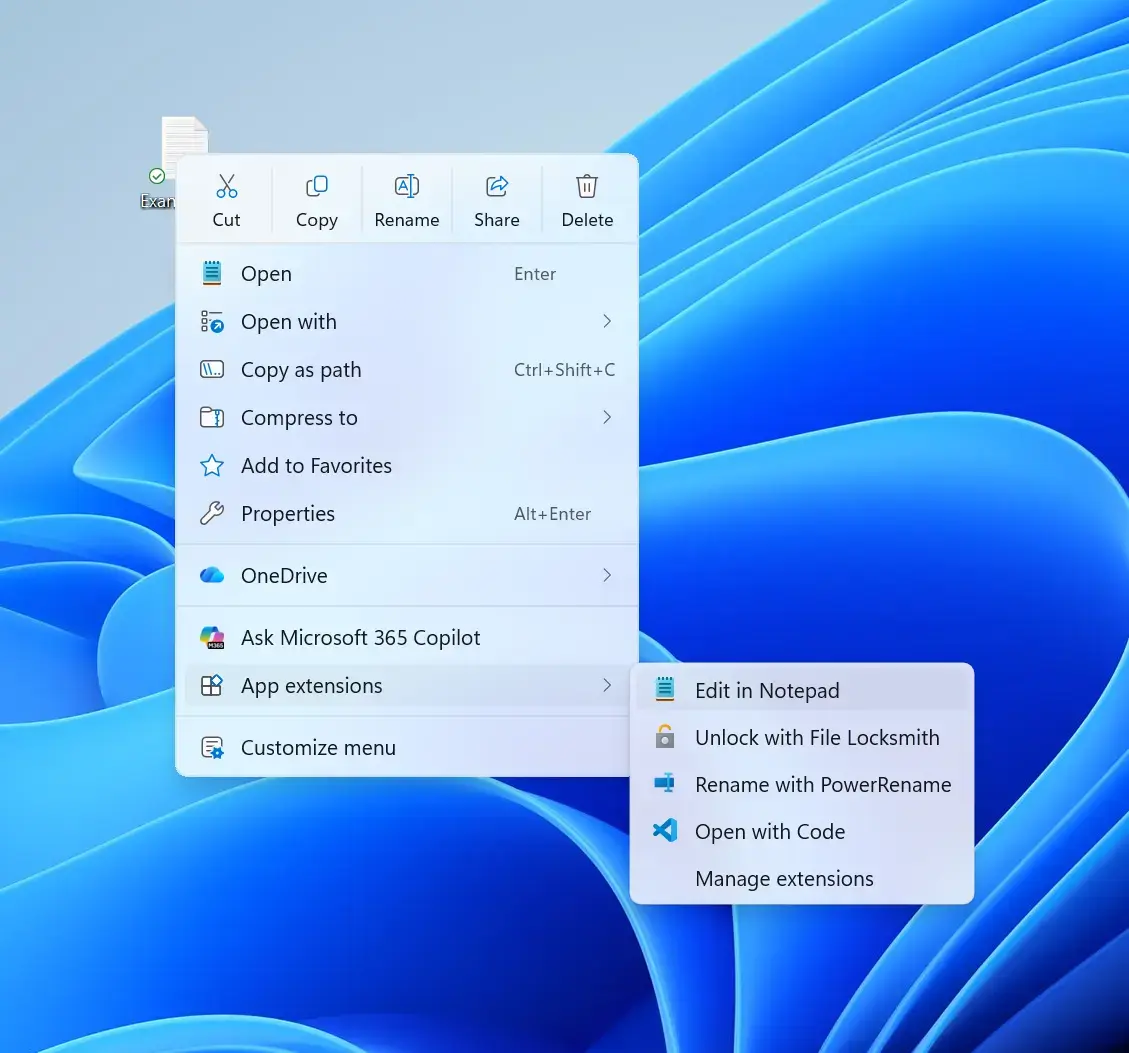
Build 26340.9212では、ついにファイルエクスプローラーの右クリックメニューが大きく刷新されました。最近Windowsユーザーのなかでも話題になっていた変更で、従来の「ごちゃつき感」を減らし、より軽快で、使い方に合わせて調整しやすいデザインへと進化しています。
トップレベルの項目が整理され、よく使う操作に素早くアクセスできるようになったほか、表示内容を自分好みにカスタマイズできる新しい設定ページも追加されました。Microsoft は Insider のフィードバックを受けながら、右クリック操作をより「反応が良く、予測しやすく、個人に寄り添う」体験に仕上げていく方針です。
リリースノートは以下の通りです。
Changes and improvements gradually being rolled out
Introducing the new, redesigned context menu in File Explorer
We're beginning to roll out an updated context menu experience in File Explorer, designed to feel faster, cleaner, and easier to tailor to the way you work. The new design reduces top-level clutter, keeps commonly used actions easy to access, and adds a new Settings experience that gives you more control over what appears in the menu. As we continue refining this experience with Insider feedback, our goal is to make right-click feel more responsive, predictable, and personal.
Screenshot of new context menu
Previewing images in File Explorer
- Fixed an issue from the previous flight where previews in File Explorer showed an unexpected thick band across the middle.
Feedback: Share your thoughts in Feedback Hub (WIN + F) under Files, Folders, and Online Storage > File Explorer.
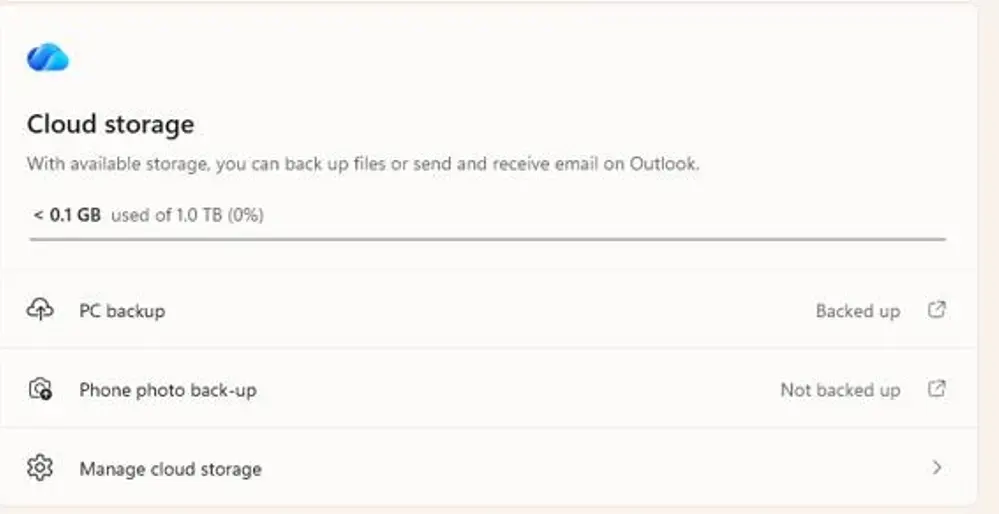
New entry points on the Settings > Home and Accounts pages help you set up Camera Roll Backup and automatically back up photos and videos from your mobile device to OneDrive.
<
UI showing the Phone photo back-up setting in Cloud storage with the status "Not backed up" and link to begin backup process
- Windows Management Instrumentation Command-line (WMIC) has been removed in this release. This change is part of the ongoing deprecation and removal of WMIC from Windows.
- For more information about this change, see Windows Management Instrumentation Command-line (WMIC) removal from Windows.
We're adding support for Emoji 17.0. This includes new emoji such as distorted face, fight cloud, and hairy creature. To try the new emoji, press the Windows key plus Period (.) to open the emoji panel and insert them from there.
As part of this effort, we've also made some slight adjustments to the design of some of our current emoji to improve consistency across platforms. This includes the saluting face, face with peeking eye, goose, lotus, and kissing cat emoji.
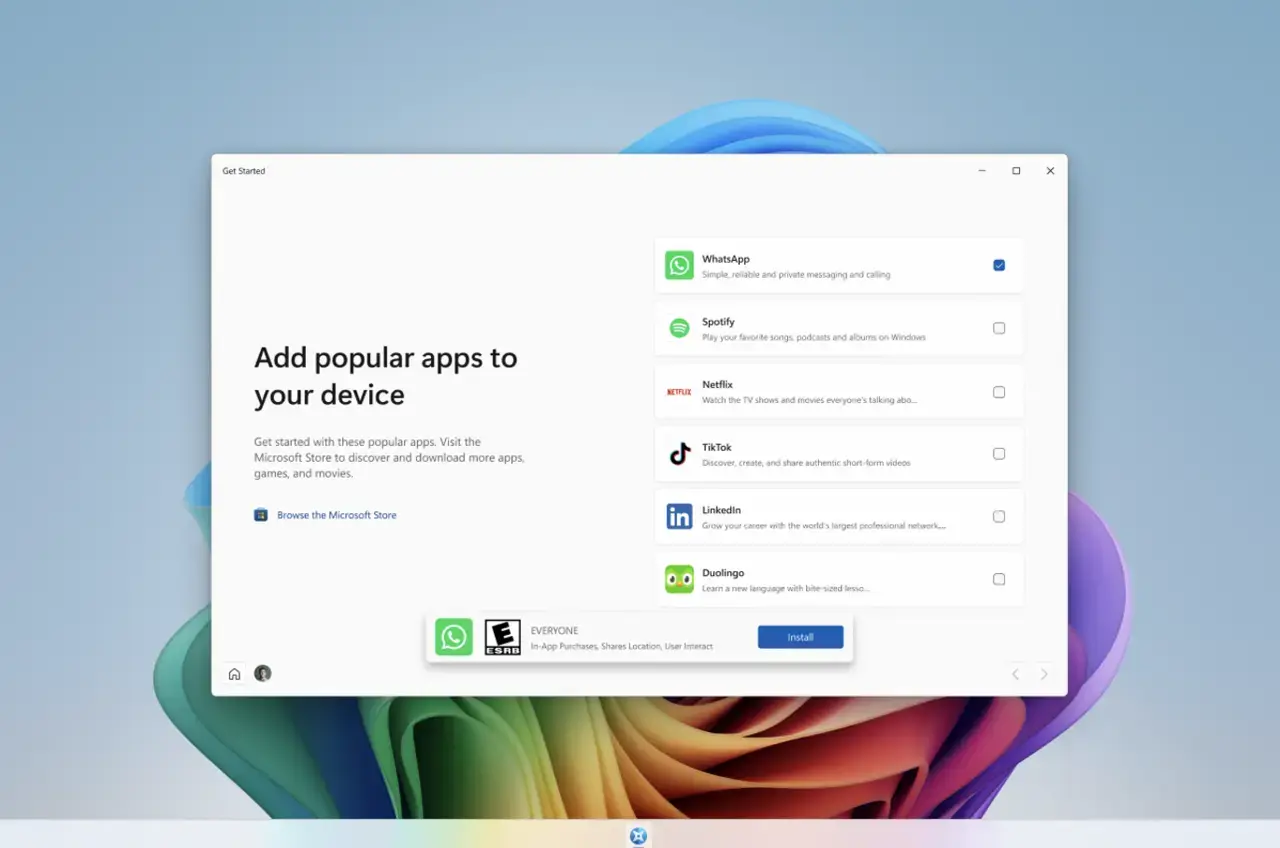
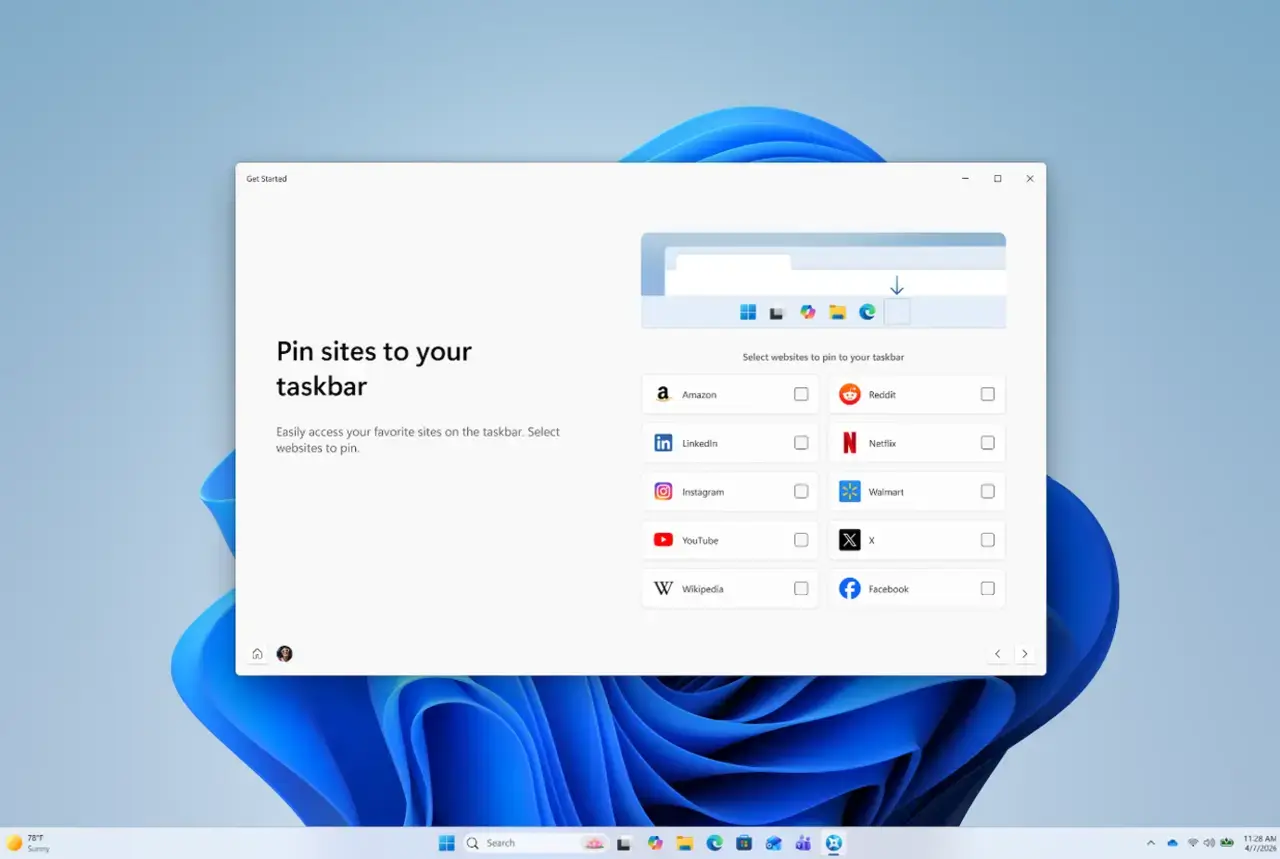
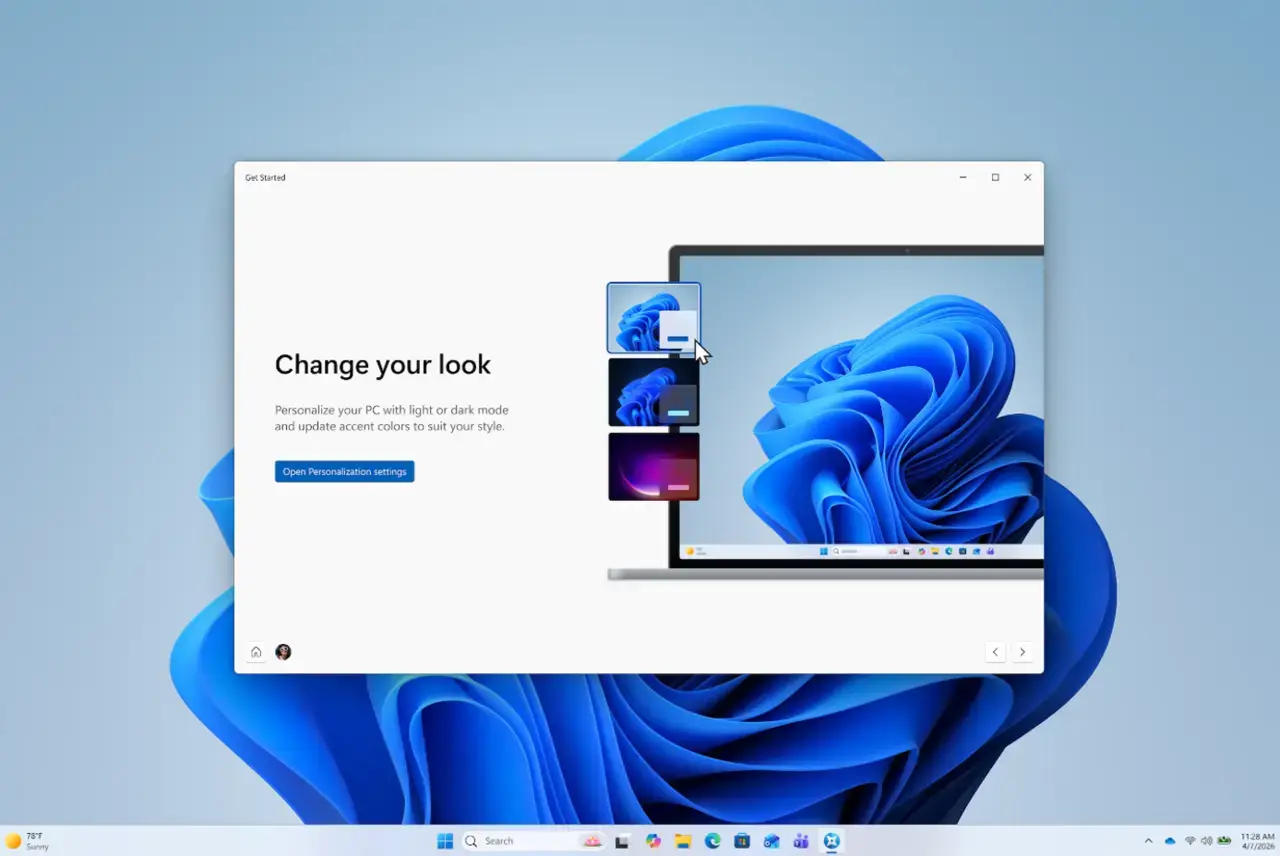
The Get Started app is updated with new pages. The pages help personalize your device and discover new features. Pages might depend on your device. Close the flow at any time, or revisit it by opening Get Started. The new pages include the app install page, the site pinning page, and the personalized theme page.
App install page in Get Started
<
Site pinning page in Get Started
Theme page in Get Started
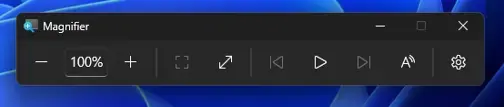
We're giving Magnifier's toolbar a modernized visual refresh.
Updated icons. We've updated Magnifier's toolbar icons to align with Windows 11 visual design, giving the tool a cleaner, more modernized feel.
Refined spacing and padding. We've adjusted the padding and spacing across the toolbar for a more polished, consistent layout.
What's not changing: The way Magnifier works. Your views, zoom controls, keyboard shortcuts, and Read Aloud all behave exactly as they did in earlier versions.
UI showing updated icons and more polished, consistent layout.
- Thank you to Insiders who have provided feedback about the Drag Tray experience. Based on feedback, we're removing the experience in this build. We're continuing to explore improvements in this area and look forward to sharing more about a future replacement experience in a later update.
- Fixed an issue where some third-party keyboard input methods, including certain Chinese IMEs, might not display their status window correctly when typing in File Explorer and other parts of Windows.
- Improved reliability of typing with the Japanese IME by reducing potential hangs and deadlocks.
- We're adjusting the rollout population for the personalized Start menu, so some Insiders might see the features temporarily disappear. If you don't see the feature in this build, you can re-enable it through feature flags.
- For Insiders using the modern Run dialog:
- Improved first launch reliability.
- Adjusted verbosity for screen reader users.
- We're starting to roll out a variety of improvements to desktop background experiences. These improvements include:
- Improved reliability of the Personalization > Background page in Settings.
- Added support for using DIB image files as desktop backgrounds.
- Improved reliability of desktop slideshow transitions on newly created accounts.
- Improved the resolution of previews when selecting a desktop background in Personalization > Background.
- Improved the desktop background preview display in Settings for users with portrait mode monitors.
- Improved reliability of processing desktop wallpaper changes when they happen in quick succession.
- Added support for using slideshow wallpapers with multiple desktops so that it won't automatically switch you back to Picture.
- New enhancements to networking in WinRE
- We're adding a new WinRE networking capability that allows the Windows Recovery Environment to automatically reuse eligible Wi-Fi profiles already saved in the main Windows OS, including supported certificate-based Wi-Fi networks. Previously, WinRE could automatically connect only to wired unauthenticated Ethernet or Wi-Fi networks that were separately preconfigured for WinRE, while users had to manually connect to other WPA2/3 networks by entering a password. With this update, WinRE can use saved Wi-Fi profile information when a recovery workflow requires connectivity, helping devices get online automatically during scenarios such as quick machine recovery or cloud rebuild without requiring users or IT admins to separately preconfigure Wi-Fi credentials in WinRE. By default, this capability is enabled. However, IT admins can disable this functionality if desired.
- To test this feature in your environment, see Test networking in WinRE.
- Fixed an issue causing Settings to crash in the previous flight when interacting with items on the Date & Time page.
- Fixed an xtajit64.dll crash, which was leading to issues with certain apps for Insiders on Arm64 PCs in the latest flights.


リリースノートには細かな変更内容がリストアップされていますので、インストールする前に確認することをおすすめします。