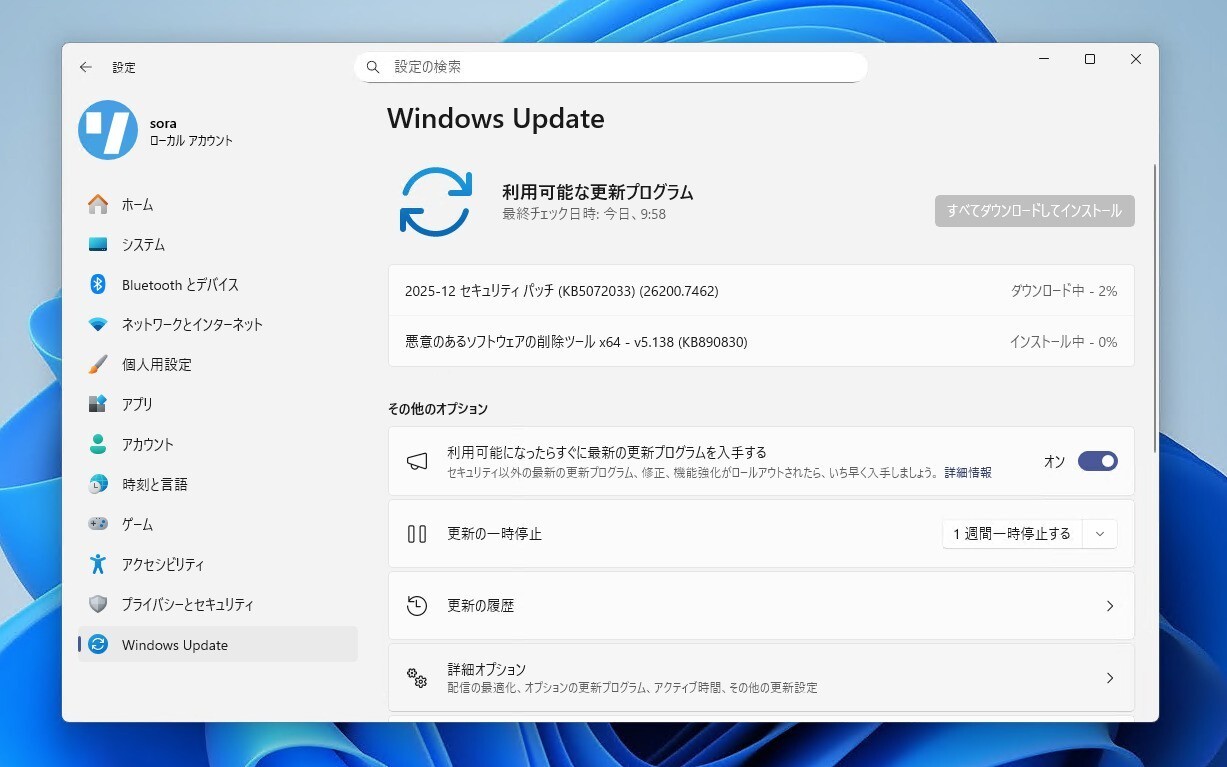
Microsoftは12月9日(現地時間)、毎月米国時間の第2火曜日に提供している月例更新の一環として、Windows 11 Version 25H2/24H2用の累積アップデートKB5072033と、Windows 11 Version 23H2用の累積アップデートKB5071417をリリースしました。
更新プログラムは主にシステムの品質を改善し、セキュリティ問題を修正するものです。
自動的にインストールされますが、Windows UpdateまたはMicrosoft Update Catalogを利用して手動でインストールすることもできます。
それぞれの変更点は以下の通りです(キュリティアップデートの内容は日本Microsoftのブログで参照できます)。
December 9, 2025—KB5072033 (OS Builds 26200.7462 and 26100.7462)
Windows 11 Version 25H2/24H2用の更新プログラムKB5072033では、12月1日に公開されたKB5070311の内容に加え、ファイルエクスプローラーがページ移動時に一瞬白く点滅する既知の不具合の修正が行われています。「Ask Copilot」や、ネットワーク接続の問題の修正、PowerShell 5.1のセキュリティの改善も行われています。
リリースノートは以下の通りです。
ハイライト
This update addresses security issues for your Windows operating system.
改良と修正
[Copilot] Fixed: This update addresses an issue where Ask Copilot didn’t activate the Click to Do window as expected. The window now appears in the foreground when you share data with Copilot.
[File Explorer (known issue)] Fixed: This update addresses an issue where File Explorer briefly flashes white when you navigate between pages. This issue might occur after you install KB5070311.
[Networking] Fixed: This update fixes an issue where external virtual switches lose their physical network adapter (NIC) bindings after a host restart. When this happens, the switches revert to internal mode, resulting in loss of network connectivity for virtual machines and blocking normal server operations.
[PowerShell 5.1] Invoke-WebRequest now includes a confirmation prompt with a security warning of script execution risk. You can choose to continue or cancel the request. For additional details, see CVE-2025-54100 and KB5074596: PowerShell 5.1: Preventing script execution from web content.
既知の不具合
更新プログラムには以下の1件の既知の不具合が存在します。
Password icon might be missing or invisible in the lock screen sign-in optionsSymptoms
After installing the August 2025 non-security preview update (KB5064081) or later updates, you might notice that the password icon is not visible in the sign-in options on the lock screen. If you hover over the space where the icon should appear, you’ll see that the password button is still available. Select this placeholder to open the password text box and enter your password. After entering your password, you can sign in normally.
Individuals using Windows Home or Pro editions on personal devices are very unlikely to experience this issue. This issue primarily affects enterprise or managed IT environments.
Workaround
This issue is mitigated using Known Issue Rollback (KIR).
For enterprise-managed devices managed by IT departments that have installed the affected update and encountered this issue, IT administrators can resolve it by installing and configuring the Group policy listed below. The special Group Policy can be found in Computer Configuration > Administrative Templates > <Group Policy name listed below>.
For information on deploying and configuring these special Group Policy, please see How to use Group Policy to deploy a Known Issue Rollback.
Group Policy downloads with Group Policy name:
Download for Windows 11 version 24H2, Windows 11 version 25H2: Windows 11 24H2, Windows 11 25H2 and Windows Server 2025 KB5072033 251202_18051 Known Issue Rollback
Important: You will need to install and configure the Group Policy for your version of Windows to resolve this issue. You will also need to restart your device(s) to apply the group policy setting. Note that the Group Policy will temporarily disable the change causing this issue.
We are working on a resolution in a future Windows update and will provide more information when it is available.
更新プログラムはWindows Updateの他、Microsoft Update Catalog、Windows Server Update Services(WSUS)を利用してインストールすることができます。
December 9, 2025—KB5071417 (OS Build 22631.6345)
Windows 11 Version 23H2用の更新プログラムKB5071417では、11月11日に公開されたKB5068865の内容に加え、PowerShell 5.1のセキュリティ改善が行われています。
リリースノートは以下の通りです。
ハイライト
This update addresses security issues for your Windows operating system.
改良と修正
Normal rolloutImportant: Use EKB KB5027397 to update to Windows 11, version 23H2.
This security update contains fixes and quality improvements from KB5068865 (released November 11, 2025). The following summary outlines key issues addressed by this update. Also, included are available new features. The bold text within the brackets indicates the item or area of the change.
[PowerShell 5.1] Invoke-WebRequest now includes a confirmation prompt with a security warning of script execution risk. You can choose to continue or cancel the request. For additional details, see CVE-2025-54100 and KB5074596: PowerShell 5.1: Preventing script execution from web content.
If you've already installed previous updates, your device will download and install only the new updates included in this package.
For more information about security vulnerabilities, see the Security Update Guide and the December 2025 Security Update.
既知の不具合
更新プログラムには既知の不具合は存在しません。
更新プログラムはWindows Updateの他、Microsoft Update Catalog、Windows Server Update Services(WSUS)を利用してインストールすることができます。